

If your business is not showing up on Google, it is almost always one of a handful of fixable reasons: your profile is not verified, your information is inconsistent, your profile is suspended, or you are simply being outranked. The frustrating part is that Google will happily hide you and never once explain why. So let me walk through the usual suspects in order, so you can find yours and fix it.
First, a quick gut-check: search your exact business name plus your city. If you appear for that but not for the services you offer, this is a ranking problem, not a visibility problem, and the fix is optimization. If you do not appear at all, keep reading.
Your profile is not verified (the number one cause)
Only verified businesses reliably show up in Google Search and Maps. If you never claimed and verified your Google Business Profile, or the verification lapsed, that alone can make you invisible. Verifying tells Google you are a real, authorized business. Google’s help on finding your business is the place to start.
This is the first thing to check because it is the most common and the easiest to fix. No verification, no reliable presence. Everything else is downstream of this. Before anything else, make sure your business is actually added and verified on Google, because you cannot rank a listing that does not properly exist yet.
Your business information is inconsistent or wrong
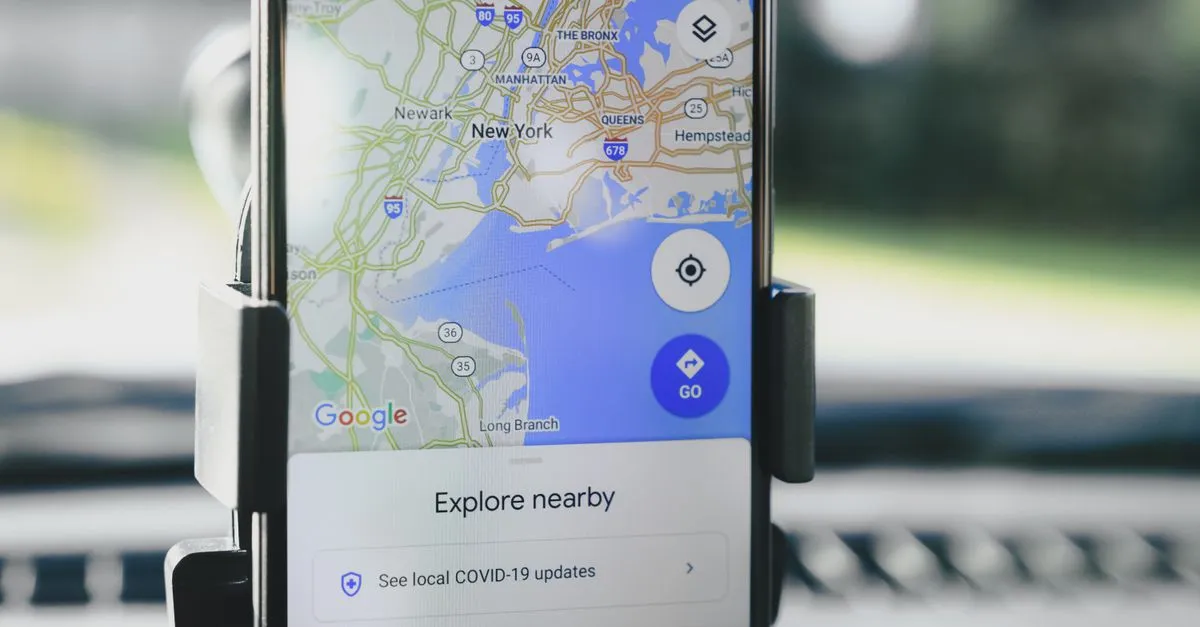
Google needs to trust that your details are accurate. If your name, address, and phone number (your NAP) are inconsistent across your website, your profile, and other directories, Google gets confused and may hide you rather than show wrong information. Imagine a business listing one suite number on its site, a slightly different one on a directory, and an old phone number somewhere else. To Google, that might be three shaky businesses instead of one solid one.
Fix it by making your NAP identical everywhere. This is unglamorous and it quietly holds back a huge number of local businesses. It is also step one of real Google Business Profile optimization.
Your profile is suspended
If your profile violated Google’s guidelines, it can be suspended and vanish until you resolve it. A common trigger: using a virtual office or coworking address that only serves as a mailbox. Google prohibits that for local listings, and it often triggers a suspension. If you suspect this, check your profile dashboard for a notice and go through Google’s reinstatement process. Painful, but fixable.
You are there, just outranked

Sometimes you are showing up, just not high enough to notice. I see this constantly with local businesses: they are technically listed, just buried where nobody scrolls. Being that far down the local results is basically an unlisted number with extra steps. Google ranks local results on relevance, distance, and prominence, as its local ranking guidance explains. If competitors have more complete profiles, more genuine reviews, and more consistent information, they land above you. Two searchers in different neighborhoods also see different results, because distance is a factor you cannot control.
The fix here is not a trick; it is doing the fundamentals better than the shop down the street. Complete every field, gather more genuine reviews, and keep your information consistent. That is the core of why local SEO matters in the first place. And if a review you know a customer left is the thing missing, that is a separate problem with its own fixes, which I cover in why a Google review is not showing up.
Two quieter culprits people miss
Beyond the big four, two subtler causes trip businesses up.
First, duplicate listings. If your business ended up with two Google profiles, an old one someone created years ago and the one you actively manage, they can compete and confuse Google about which is real. Search your business name and look for stray duplicates. If you find one, Google has a process to merge or remove it.
Second, a brand-new profile that simply has not finished processing. A freshly created or freshly verified profile can take time to appear reliably. If you just set it up, give it a few days before assuming something is broken. Not every absence is a problem. Some of it is just Google catching up.
Work through it in this order
When a business is not showing up, resist the urge to change ten things at once. Go roughly most-common to least:
- Is the profile claimed and verified? If not, that is almost certainly it.
- Is every detail complete and identical across your website, profile, and directories?
- Is there a suspension notice in your dashboard, or a virtual-office address that could trigger one?
- Are there duplicate listings competing with each other?
- If all of that is clean, you are likely just being outranked, which is an optimization problem, not a visibility one.
Fixing one thing at a time also tells you what actually worked, instead of leaving you guessing after a flurry of changes.
Frequently asked questions
Why is my business not showing up on Google?
Usually one of four reasons: your Google Business Profile is not verified, your business information is inconsistent or wrong, your profile has been suspended, or you are being outranked by competitors. Verification and consistent details fix most cases; the rest comes down to optimization and, occasionally, reinstatement.
Why is my verified business still not on Google Maps?
If you are verified but still not visible, check for inconsistent NAP details, a possible suspension, or simply being outranked. Distance also matters: searchers far from your location may not see you. Complete your profile fully, fix any inconsistent information, and strengthen reviews to improve your position.
How long does it take for a business to show up on Google?
After verifying your Google Business Profile, it can take a few days to a few weeks to appear reliably. New websites take longer to rank in regular search. If it has been several weeks past verification with nothing showing, check for information errors or a suspension.
Can inconsistent address information hide my business?
Yes. If your name, address, and phone number differ across your website, profile, and directories, Google may distrust the data and suppress your listing. Making your NAP identical everywhere is one of the most important and commonly overlooked fixes for visibility.
Why was my Google Business Profile suspended?
Common causes include using a virtual office or coworking mailbox address, keyword-stuffing your business name, or other guideline violations. Suspensions hide your profile until resolved. Check your dashboard for a notice and follow Google’s reinstatement process to restore visibility.
My business shows for its name but not my services. Why?
That is a ranking issue, not a visibility one. Google knows you exist but does not rank you for those service searches yet. Improve it by choosing accurate categories, completing your profile, earning genuine reviews, and building consistent local signals so you rank for the terms customers actually use.
How do I fix duplicate Google listings?
Search your business name and look for more than one profile. If you find duplicates, use Google’s process to report and merge or remove the extra so a single verified profile represents the business. Competing duplicates confuse Google about which listing is real and can suppress both.
Does a virtual office address hurt my Google visibility?
It can. Google prohibits listings that use a virtual office or coworking mailbox as their only presence, and using one often triggers a suspension. Local profiles are meant for real locations you operate from or serve, so a mailbox-only address is a common and avoidable cause of a disappearing profile.
Find your reason, then fix it
Most invisibility on Google has a single, findable cause, and it is almost never the exotic one you fear. Work down the list in order, change one thing at a time, and you will usually surface the culprit fast, without the guesswork.
Not sure where the problem is? Run a free audit to check your site’s health, or dig into Google Business Profile optimization to fix the profile side. Google cannot show a business it cannot verify or trust. Give it something solid to work with.